Android Mobile App: Delete User Account Policy

App Developer:

TRA Medical Imaging

TRA Medical Imaging
MedInformatix
MedInformatix

Request to Delete Account

  • When your account is deleted, your credentials are erased and you will be unable to access the mobile app and your health information.
  • Your personal health record from your provider will NOT be removed and will remain intact.
  • You can register for a mobile app account again to access your information at a future date.
  • Delete your account directly from the mobile app or complete the form below to submit a request to delete your account.


Acknowledgment
By submit the form, I acknowledge my request to delete my mobile app account and erase my credentials for accessing my health information. I can register for a mobile app account at a future date to access my health information. My personal health record from your provider remains intact and will not be removed.

How to Delete Your Account in the Mobile App
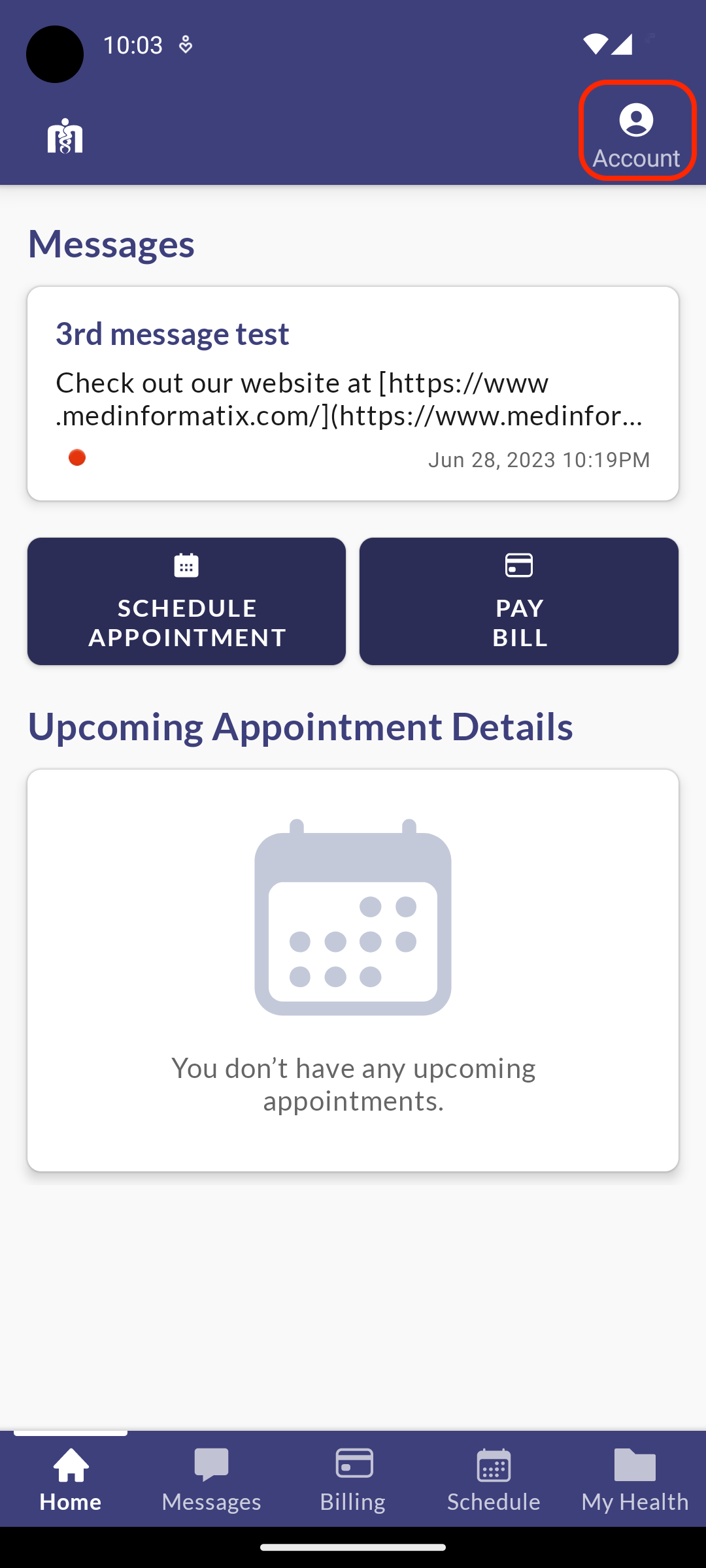
1. When a user wants to delete their mobile app account, they go to the Account/Profile screen.
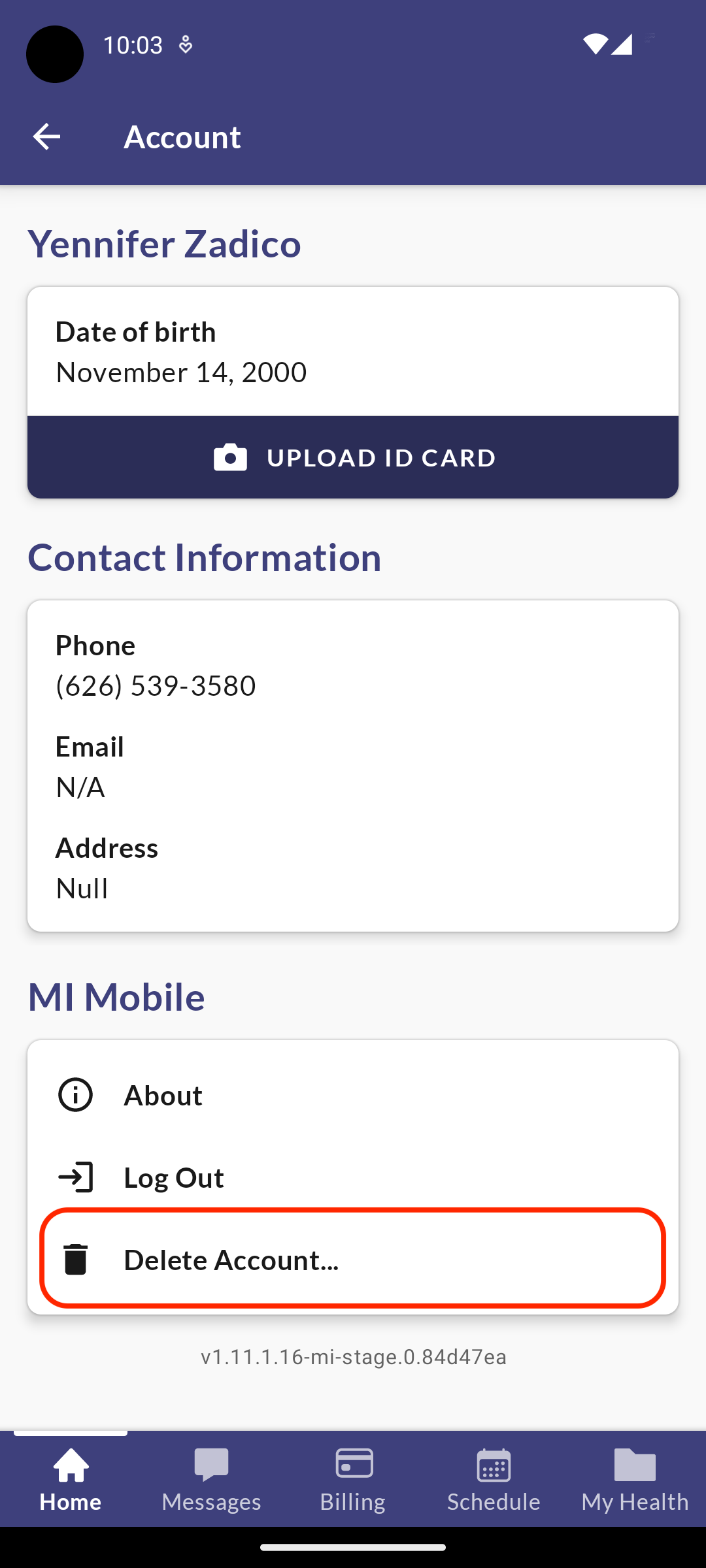
2. The user selects Delete Account.
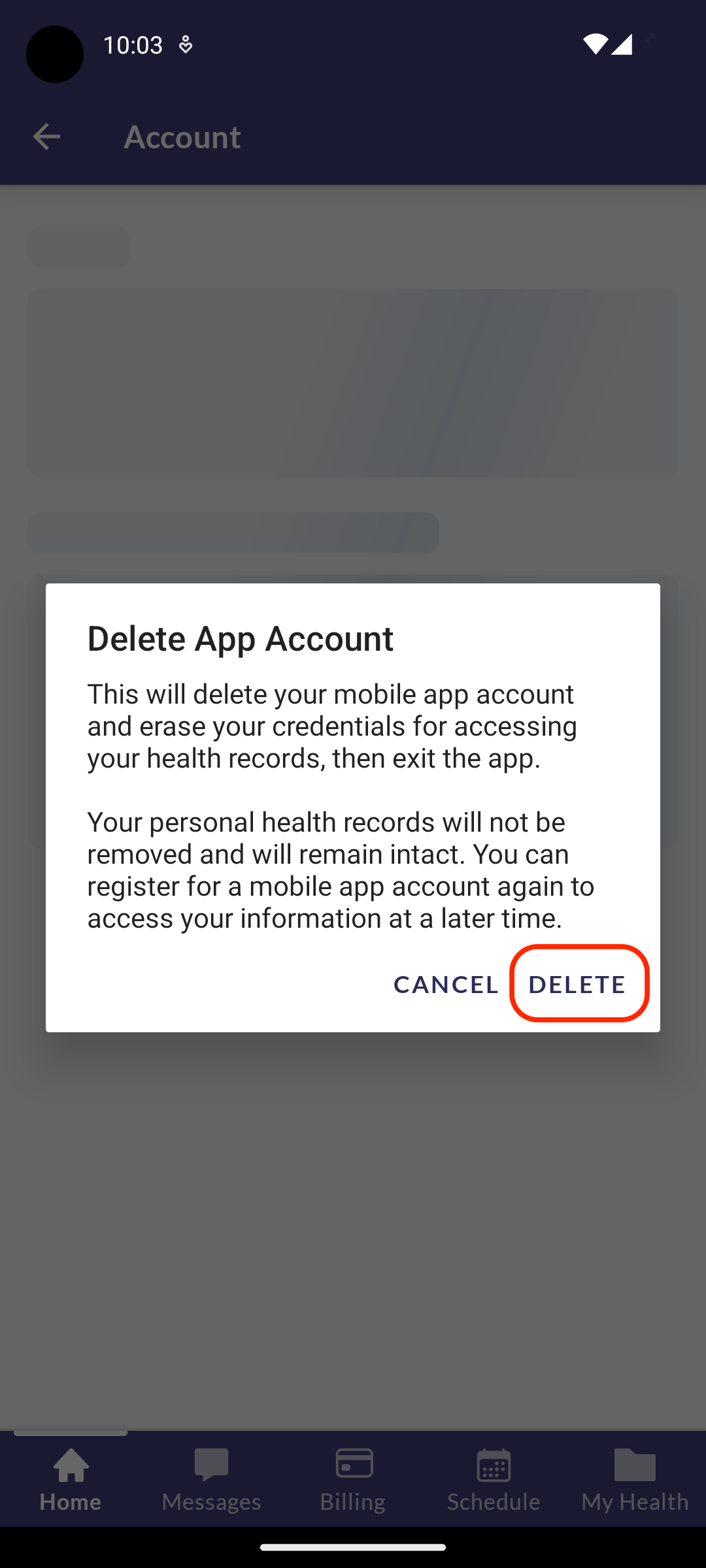
3. The confirmation window explains the process. Delete Account cannot be undone. When the user account is deleted, no data is retained. The user is logged out of the mobile app. To use the mobile app, the user would need to create a new account.